How to install and use Tor Browser
A complete walkthrough: download, install, configure security settings, and access .onion addresses. Written for people who have never used Tor.
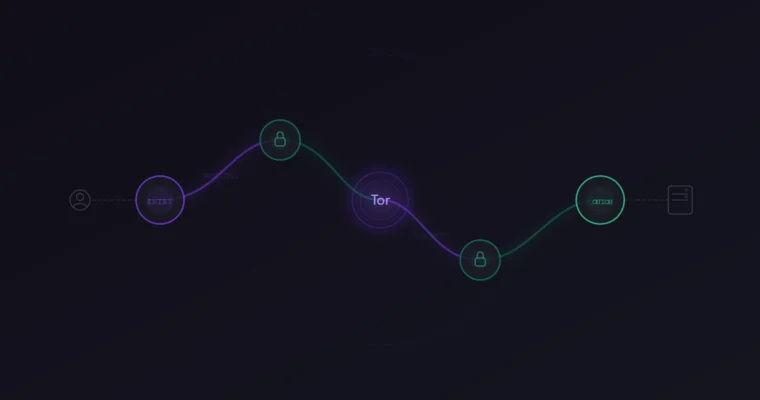
What Tor Browser actually does
Tor Browser routes your internet traffic through three encrypted relays before it reaches the destination. Each relay only knows the address of the previous and next hop, so no single point in the chain can see both who you are and what you're accessing. This is how .onion addresses work — they exist only inside the Tor network and cannot be reached through Chrome, Firefox, or any regular browser.
The browser itself is a modified version of Firefox ESR. It comes preconfigured with privacy settings that would take hours to set up manually: anti-fingerprinting protections, cookie isolation, disabled WebRTC, and a stripped user agent. You don't need to tweak these. The Tor Project maintains them.
One thing Tor Browser is not: a VPN. VPNs hide your IP from the destination server but the VPN provider sees everything. Tor splits that knowledge across three independent relays. No single entity sees the full picture.
Where to download Tor Browser
The only safe source is torproject.org. Go directly to that address in your current browser — do not search for "tor browser download" on Google or Bing. The first page of search results for that query typically contains at least two or three sponsored links to repackaged installers that bundle tracking software or worse.
On the Tor Project website, you'll see download options for Windows, macOS, Linux, and Android. Pick your operating system, download the installer, and save it somewhere you can find it.
The file sizes as of April 2026:
| Platform | File | Size |
|---|---|---|
| Windows | .exe installer | ~105 MB |
| macOS | .dmg disk image | ~170 MB |
| Linux | .tar.xz archive | ~105 MB |
| Android | Google Play / .apk | ~95 MB |
Verify the download before installing
This step is optional but worth doing if you're on a network you don't fully trust (hotel WiFi, workplace, shared connection). The Tor Project publishes GPG signatures alongside every download. If someone tampered with the installer between the server and your computer, the signature will not match.
To verify on Windows or macOS, you'll need Gpg4win (Windows) or GPG Suite (macOS). Import the Tor Browser Developers signing key, then run the verification against the downloaded file and its .asc signature. The Tor Project has a detailed walkthrough on their site — search for "How to verify Tor Browser" on torproject.org.
On Linux, most distributions include gpg by default. Download both the .tar.xz and the .tar.xz.asc, then run gpg --verify on the signature file. If it says "Good signature from Tor Browser Developers," the file is clean.
Installation — step by step
./start-tor-browser.desktop. No root access needed.Security settings you need to change
Tor Browser ships with the security level set to "Standard." For regular browsing, that's fine. For accessing darknet markets, it is not. Change it before you visit any .onion address.
Click the shield icon in the toolbar (top right, next to the URL bar). Select "Settings" and set the Security Level to Safest.
Here is what each level disables:
| Level | JavaScript | Media | Fonts | When to use |
|---|---|---|---|---|
| Standard | Enabled | Enabled | All loaded | Regular browsing only |
| Safer | Partially disabled | Click-to-play | Most loaded | Clearnet sites on Tor |
| Safest | Fully disabled | Disabled | Limited | Darknet markets |
The "Safest" setting disables JavaScript entirely. This matters because JavaScript is the primary attack vector for browser exploits targeting Tor users. In 2013, the FBI used a JavaScript exploit in Firefox to unmask users of a Tor hidden service. The Tor Browser has been hardened significantly since then, but the principle holds: less active content means less attack surface.
Most darknet markets are designed to work without JavaScript. If a site requires you to enable JavaScript to log in or browse listings, that is a red flag.
Accessing .onion addresses
A .onion address looks like a long string of random characters followed by .onion. Example format: http://a1b2c3d4e5f6g7h8i9j0.onion. These addresses only resolve inside the Tor network — pasting one into Chrome produces an error.
To visit a darknet market, copy a verified .onion link from a trusted source (like our market directory), paste it into the Tor Browser address bar, and press Enter. The connection typically takes 5-15 seconds, which is normal — each request travels through multiple relays.
Never search for market links using DuckDuckGo, Google, or any search engine inside Tor. The results are dominated by phishing sites that serve fake .onion addresses. If you type a password into one of these clones, the attacker has your credentials immediately. Get your links from a source you've already verified, and confirm them with PGP.
Common mistakes
Connection problems and troubleshooting
If Tor Browser fails to connect, the issue is usually one of three things: your network blocks Tor traffic, the Tor network itself is experiencing congestion, or your clock is wrong.
Start with the clock. Tor's circuit-building protocol requires your system time to be accurate within a few minutes. If your computer clock is significantly off, Tor cannot establish a valid circuit. On Windows, right-click the clock in the taskbar and select "Adjust date/time," then enable "Set time automatically."
If the clock is correct and Tor still won't connect, try switching to a bridge. Open the connection settings and select obfs4 or snowflake as the transport. These bridges disguise Tor traffic as normal web traffic and can bypass most network-level blocks.
Persistent slowness (pages taking 30+ seconds to load) is normal during peak hours. Tor's speed depends on the relays in your circuit, and some relays are overloaded. You can request a new circuit by clicking the lock icon next to the URL bar and selecting "New Circuit for this Site."
What to do after setup
Once Tor Browser is installed and configured to the Safest security level, you have a working setup for accessing darknet markets. The next step is learning how to verify that the links you use are authentic, not phishing clones. Our PGP verification guide covers exactly that — how to cryptographically confirm that a .onion address was published by the real market operators.
For verified links to all active markets, check the market directory on our homepage.